Blog!
Still the best name for a set of chronologically-ordered articles.
Two important questions about “Good news, bad news, who knows?”
I don’t usually post more than once a month or so, but here is a hopefully worthy exception.
A rare immediate follow-up
I don’t usually post more than once a month or so, but here is a hopefully worthy exception.
The previous post “Good news, bad news, who knows?” included a parable featuring a farmer.
My (rhetorical) questions to you:
- Did you assume the farmer was male?
- If so, why?
Good News, Bad News, Who Knows?
This parable helps keep me from overreacting — negatively or positively — when “big” news happens. Of course, it also applies to news of all sizes.
This parable helps keep me from overreacting — negatively or positively — when “big” news happens. Of course, it also applies to news of all sizes.
I shared it on a mailing list six years ago but it keeps coming up in conversation and I hope you agree it’s worth re-sharing!
(I’ve paraphrased it from a few different versions I’ve read.)
Once upon a time, a farmer had a valuable horse run away.
“Bad News!” said the people.
“Good news, bad news, who knows?” replied the farmer.
Later, the horse returned to the farm with many wild horses accompanying it.
“Good News!” said the people.
“Good news, bad news, who knows?” replied the farmer.
Some time after that, the farmer’s son fell and broke his leg while trying to train one of the wild horses.
“Bad News!” said the people.
“Good news, bad news, who knows?” replied the farmer.
Soon after, the army came through town conscripting all able-bodied young men, and the farmer’s son was passed over.
“Good News!” said the people.
“Good news, bad news, who knows?” replied the farmer.
Every version of the story I’ve read stops there with the idea that the cycle could continue forever.
Perhaps the next time you have Good News or Bad News you’ll think “good news, bad news, who knows?”
The New (and Relieving) Rules for Secure Internet Passwords
Forget convoluted sequences of seemingly random characters. Instead, go long. Even better, let software handle it for you.
A recent Wall Street Journal article starts “The man who wrote the book on password management has a confession to make: He blew it.”
That article is behind a pay wall, so I’m going to summarize it for you.
The new rules say you don’t need to use special characters, mixed cases, numbers, and all that to create a secure password (unless of course the website forces you to, which is another unfortunate issue). That old advice just led to short passwords that were hard for humans to remember but easy for hackers to guess or discover through brute force. Pa$$w0rd1 anyone? Oops, it’s been 90 days, time to change it to Pa$$w0rd2. Again. You get the idea.
Instead, use a series of memorable but seemingly unconnected words in one long string, because more characters is better. Lots better. There is even an internet-famous comic about it: correcthorsebatterystaple
That’s the WSJ article in a nutshell.
BUT
Of course there is a but. Also consider that avoiding password commonality is also very important. So don’t go around using “correcthorsebatterystaple” or “thisismypasswordsucka” or anything else that might be used by many other people.
Make sure to string together four or five otherwise unconnected words that you can remember but aren’t likely to be commonly used in passwords.
Unfortunately, chances are good you’re going to be pretty bad at that.
The Best Thing You Can Do
For the love of all that is good — and as referenced in the password commonality article — stop making up your own passwords. Instead, use a password manager such as 1Password (I use it), LastPass, or similar. You make one super-good password that you can remember and let the manager come up with ridiculously long and complex randomized passwords for you.
Fifty random characters including mixed cases and as many numbers and specials as I want? And I don’t have to remember it? Yum!
You get fast at entering your one long but memorable password when necessary, and the manager remembers and fills in your ridiculously long random password per-site. You can also store credit cards and other personal info in there for easily filling out forms or just as a vault for social security numbers, etc, etc.
And now you can turn off and purge your browser auto-fill. I’m pretty sure you don't want someone who just took your laptop to auto-waltz into your bank website or whatever. Let the password manager auto-fill those login credentials after you've entered your master password for an extra level of security.
Concerns
Theoretically someone could hack your password manager. I don’t know, I trust a company whose sole reason for being is security more than I trust my ability to repetitively create and store secure passwords. I trust it more than sticky notes or that sheet of paper in the desk drawer. If I can’t access a website when I’m on another computer or device (which is rare) I can use the “forgot password” feature that every site has. It feels like an obvious choice to me now, even if at first it was a little scary to make the leap. And, yes, it costs money.
So, there you go. Go forth and be ever more secure on the big, bad internet.
Procrastination Hacks for a Better Today (and Tomorrow)
Procrastination makes the whole world dimmer. For posterity, here are the tricks I know of to get the ball rolling.
What do we want?!? … TO STOP PROCRASTINATING!
When do we want it?!? … ummmm… not right now, maybe later?
Procrastination makes the whole world dimmer. Sure, I momentarily avoided that thing I’m scared of, but where did that get me? It isn’t done, and now I feel bad about not doing it. I'm irritable, food doesn't taste as good, and life is just not what it could be.
The Hacks
For posterity, here are the tricks I know of to get the ball rolling. (Substitute in your own “things” to personalize it.)
- Break a daunting task into ridiculously small parts. Just open the document. Just gather the ingredients. Just put on the running shoes. I tell myself I only need to do the next small part and that’s it, for real, no obligations past that.
- Bundle a disliked task with a treat. Perhaps I only eat chips when I’m doing billing, or I only listen to the ska / rock steady channel on Pandora when I do kitchen work.
- Offer a reward for completing a task. If I tidy the garage, it’s popsicle time. If I reach that personal milestone, I’m buying myself a board game.
- Close my eyes, take a deep breath, and imagine a future where the task is completed and notice how that feels. Use that feeling to springboard into starting.
- Give up completely. Wait… what? Seriously, sometimes it’s best to not beat myself up and just accept that the time is not right. Just don’t use this one too often.
- Set a time for starting. At 2pm, I will make that phone call. At 4pm, I am taking the recycling to the (in)convenience center.
- Set a short time limit for focus. I’m not going to work on this for two hours, I’m just going to hyper-focus on it for the next 10 minutes.
- Do a sprint. Find five things I need to do and spend 10 focused minutes on each, with 2-minute breaks in-between. Set a timer and stick to it. One hour, five balls now rolling.
The common theme is simple: find a way, any way, to get started. Beating procrastination is all about starting and starting again and starting again, over and over. Because life will get in the way and stop me. My own brain will stop me with diabolical rationalizations and shiny objects. So my higher self absolutely needs to use tricks to get started again. Different tricks work different times, so I try to keep them all in my mental toolkit for appropriate use. I need them often.
Bonus Hack
And, just as importantly, a MEGA trick to keep the ball rolling:
- When a distracting idea/task comes up, write it down and immediately get back to the task at-hand. The new thing can almost definitely wait until later. Don’t get derailed. Don’t do “just one little thing.” Stay focused. Quickly clear the mental space by putting that new thing into text form so I can pick it up later, if needed.
If any of this speaks to you, know you are not alone. I encounter this almost every day, so we’re in this together. I fall down all the time. I just need to get back up every time and not berate myself.
Turn your good intentions into resolute action. Do your best, and stay tricky (for good).
Make Your Phone or Tablet Screen Better for Reading in the Dark
Let’s say you want to read on your gadget in a dark space (maybe next to a person who wants to sleep). You’ve turned the brightness all the way down and it’s still lighting up the room like a fireworks display. Time for Halloween Mode.
Let’s say you want to read on your gadget in a dark space (maybe next to a person who wants to sleep). You’ve turned the brightness all the way down and it’s still lighting up the room like a fireworks display. There is no option to make the background black and text white like you might find in a dedicated reader app.
What to do?
Enter Halloween Mode!
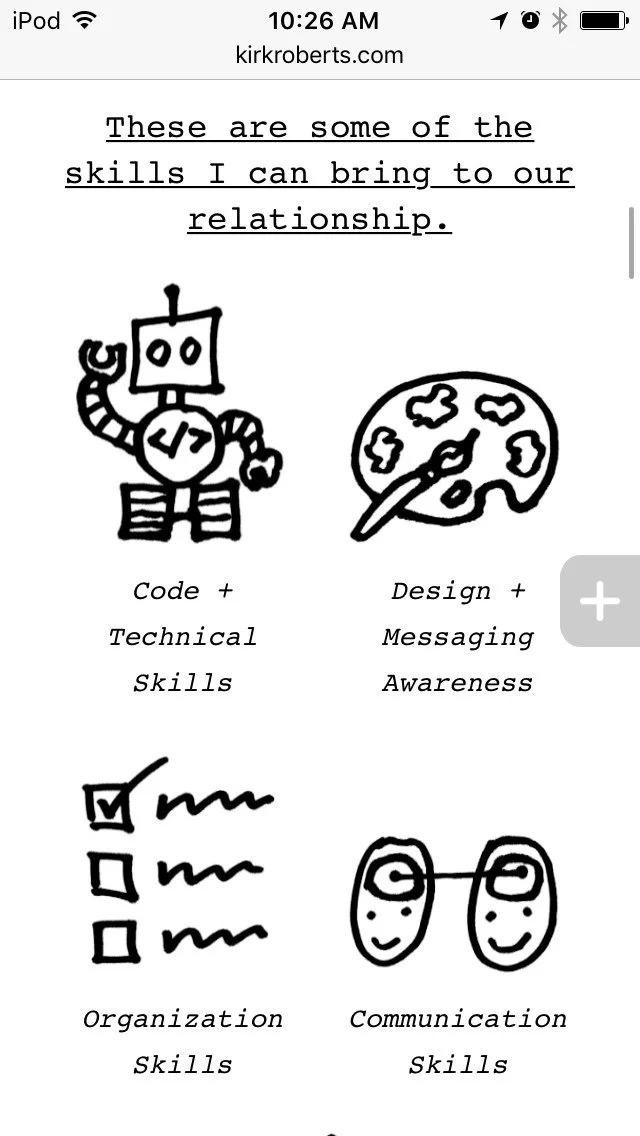
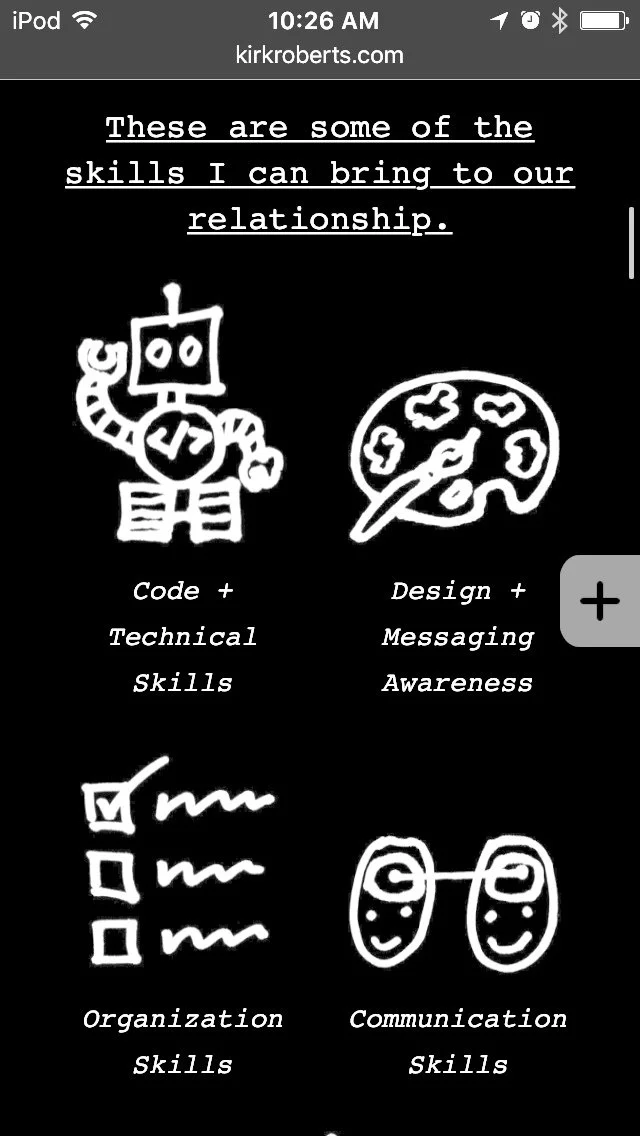
Halloween Mode?
Okay, that’s just what I call it. It’s really called “invert colors” and is an accessibility feature. I’m an iOS user but I assume it can be found on other device operating systems as well. If you’re on iOS go to:
Settings > General > Accessibility > Display Accommodations > Invert Colors
(you may not need to do the “display accommodations” step, depending on your device and/or iOS version)
Now the colors are inverted. Black is white. White is black. Cats and dogs are living together in harmony. It’s a few steps to get there (and get back out later) but it can make a BIG difference in the light output from your screen.
I call it Halloween Mode because there tends to be a lot of black and orange (and neon green). See the images for a comparison.
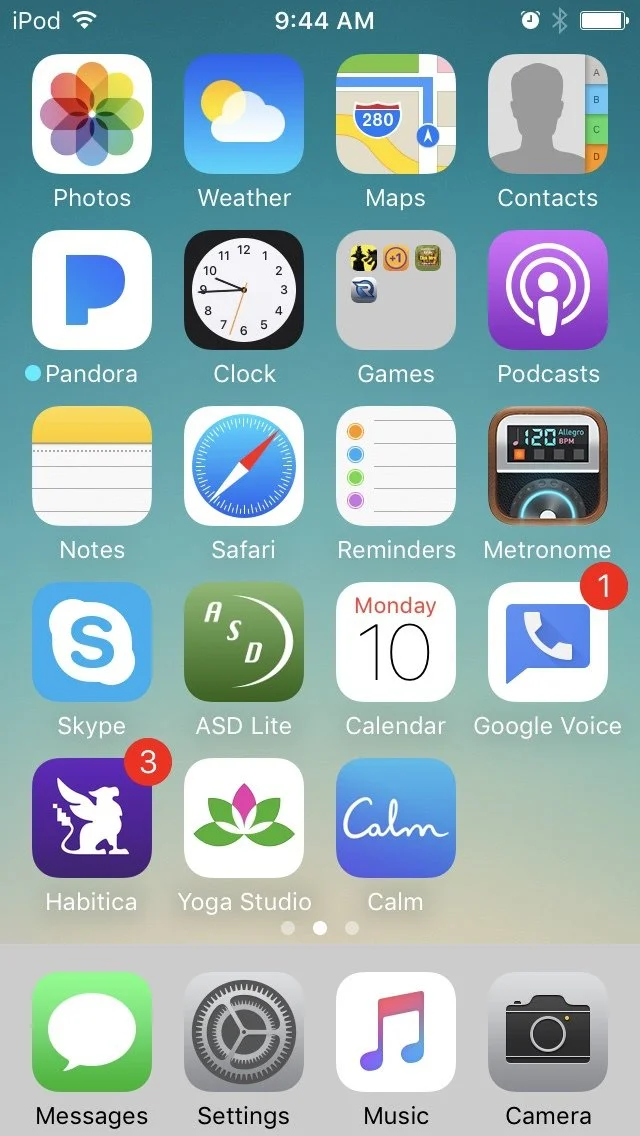
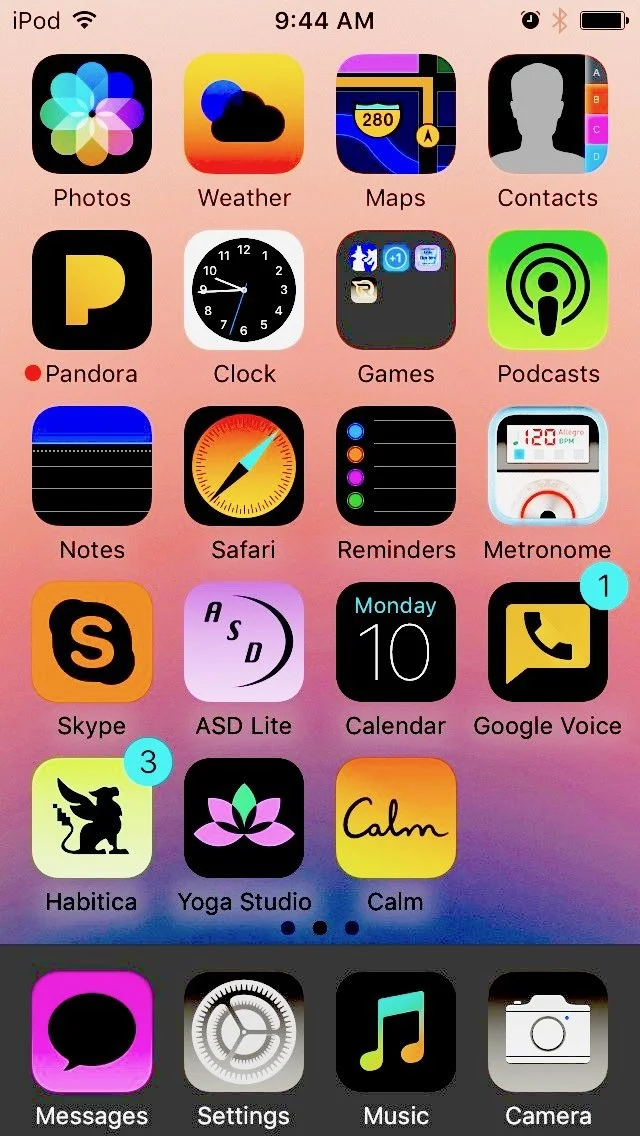
I found this tip very handy when there were some websites I wanted to read that had bright white backgrounds. Too bright.
Hope it helps you keep your life ever so dimmer, as appropriate.
The Morning Habit, Part 1
Early morning is the only time I know I’ll be able to do something consistently every day. Here’s what I've been doing lately.
Every day, the alarm goes off at 6:30am. Sometimes I am already awake with a headful of hamster wheels. I drink some water, use the bathroom, and go to my special spot. I do a guided meditation for 10 minutes. I do a guided yoga class for 10 - 30 minutes. Now I’m ready.
Early morning is the only time I know I’ll be able to do something consistently every day. No one else in my house is awake yet. The phone isn’t ringing. For a large part of the year it’s still dark outside and my special spot is in the dark basement. The world (as I perceive it) is quiet and I can be alone with my self and my thoughts.
I sometimes falter, and sometimes I just go through the motions, but I’ve been practicing this routine for the better part of a year. When I do it purposefully the rest of my day often just seems to flow more easily. I’m more on the ball. I’m more relaxed and centered. I feel good. Everyone around me benefits.
Your morning habit might be very different than mine — you might not even think of yourself as having one — but whatever it is I hope it sets you up to have an intentionally good day.
Taming the email beast
A few simple but effective ideas on how to make email your servant (rather than the other way around).
I am a longtime fan of Merlin Mann’s Inbox Zero and still practice the general concepts. If you want to make email your servant I highly recommend taking the time to read and integrate those ideas. I usually have an empty inbox and you can, too!
For a more general view about taming the email beast I suggest Paul Boag’s article in Smashing Magazine, aptly titled Taming the Email Beast. Some good nuggets in there.
Partly borrowing from those sources, here are a few short “I do it and like it, so maybe you’ll like it, too” ideas:
- turn off email auto-check (or at least slow it way, way down); schedule your email checks
- use a separate email address for all messages not directly related to getting your work done (e.g. newsletters, personal messages)... and don’t check that address in your main email application (use a separate device or user account on your computer)
- use a task manager (e.g. OmniFocus) to manage your tasks rather than your email application... email is only for sending/receiving messages, not keeping track of what you have to do
- forget filing into multiple folders, just dump it all into one Archive and learn how to use search to find what you need... as soon as you put an email into your task manager archive it right away
Stay the course. Reducing distractions is a constant challenge for me, and email is one of the main offenders. We’re in this together, and we can win!
10 Business Tips From Designer Bill Drenttel
Esteemed designer Bill Drenttel recently passed away, and Michael Beirut shared this text from a 1991 presentation in a post on Design Observer.
Esteemed designer Bill Drenttel recently passed away, and Michael Beirut shared this text from a 1991 presentation in a post on Design Observer (now defunct).
The talk was titled “Everything I know about business in one minute.” It resonated with me and I hope it does with you also.
- Focusing on making a partnership work is more profitable than focusing on making money.
- Love your employees more than you love your clients.
- The best new business is your current business.
- Price projects by asking yourself what the client’s lawyer would charge.
- It’s better to be hired for your work than for your price.
- When it comes to getting paid, the first of the month is better than the thirtieth.
- Making money off mechanicals, printing and computers turns your business into a commodity.
- The books in your library are more important than the numbers on your balance sheet.
- In order to love your work, take vacations.
- Power, in business, comes from sharing money and valuing love.
via Daring Fireball
You, Me, and Data Backup
A couple of weeks ago the hard drive in my computer completely died and it wasn’t really a big deal. Here’s the short story and how it can help you.
One day I innocently started my computer and got a gray screen. No icons, nothing but gray. In the end it turned out my hard drive had completely fried (not sure why).
Do you have a back-up plan for your data? Here’s how I back up my stuff three ways:
I have Super Duper clone my entire hard-drive to a bootable copy on an external hard-drive.
The cloning automatically runs once a day (you can schedule it as often as you like). The keys here are “automatic” and “bootable”. So in this case I was able to connect the external hard drive to another computer, boot from it, and be working in almost no time flat with an exact duplicate of my computer from less than 24 hours ago. Super Duper
Time Machine. Duh.
If you’re on a Mac and NOT using Time Machine, it’s time to start. Buy a separate external hard-drive for this, set it up, and Time Machine will keep versions of your files every hour. In this case I was able to grab files that were modified since my last Super Duper clone. Note that Time Machine does NOT create a bootable copy of your drive. The hard drive you use should be at least 1.5x the size of your computer’s hard drive.
Dropbox: continuous backup.
I also pay for a Dropbox plan for client-collaborator usage and have the space to backup a lot of project files there using something called Symbolic Links. Dropbox runs anytime a file/folder that it is “watching” gets modified, so backup is essentially continuous. When I re-connected my cloned Super Duper copy to Dropbox it downloaded a bunch of files that had been updated since then and labeled them “conflicted copy”. So as needed I could make the call on which file to keep.
Having this plan in place made the day my hard drive died merely inconvenient. I suggest you put your own plan into place as soon as possible. As “they” say: hard drive failure is not a question of “if” but “when”. A modest financial and time investment now can give you great peace-of-mind and save your bacon when your number is called. Don’t wait.
Epilogue
My hard drive was under warranty and I’m already working on a free replacement. While it was kind of nerdy fun to swap out the drives in my laptop a couple of times, I’m hoping this one lasts for the life of the computer. If it doesn’t at least I know my data is backed up three ways.
Engaged Feedback Checklist
Turn your collaborativity up to 11 with these helpful tips from Brené Brown.
I’m all about collaboration, and a big part of collaboration is giving good feedback.
Whether in your business life, personal life, or that gray area in-between, this helpful checklist of reminders from researcher-storyteller Brené Brown will help you determine if you’re really ready to participate.
The Engaged Feedback Checklist
from Daring Greatly by Brené Brown
I know I’m ready to give feedback when:
- I’m ready to sit next to you rather than across from you.
- I’m willing to put the problem in front of us rather than between us (or sliding it toward you).
- I’m ready to listen, ask questions, and accept that I may not fully understand the issue.
- I want to acknowledge what you do well instead of picking apart your mistakes.
- I recognize your strengths and how you can use them to address your challenges.
- I can hold you accountable without shaming or blaming you.
- I’m willing to own my part.
- I can genuinely thank you for your efforts rather than criticize you for your failings.
- I can talk about how resolving these challenges will lead to your growth and opportunity.
- I can model the vulnerability and openness that I expect to see from you.
Before you have that next meeting take a moment to look over this list and I bet it will improve experience. And why not share it with the person you’re about to meet with, too?
Top 5 Regrets of the Dying
What better time than the holiday season to ponder your own inevitable demise? Ho ho ho!
What better time than the holiday season to ponder your own inevitable demise? Ho ho ho!
You might think it’s morbid, but it’s really just a thought experiment to help you live a better life today. I came across this article some time ago and promptly put it on my wall. It’s still on display and I still think about it (unlike many other aphoristic-type things that have come and gone) so I’m sharing them with you.
- I wish I’d had the courage to live a life true to myself, not the life others expected of me.
- I wish I didn’t work so hard.
- I wish I’d had the courage to express my feelings.
- I wish I had stayed in touch with my friends.
- I wish that I had let myself be happier.
Read details on the original Huffington Post article.
Happy holidays and best wishes for living the life you truly want.
The Parable of the Mexican Fisherman
This is a favorite “teaching story.” I hope it resonates with you as well.
This is a favorite “teaching story.” I hope it resonates with you as well.
[Editor note: I’ve only heard the story with these nationalities, but they are irrelevant. I think.]
An American businessman was at the pier of a small coastal Mexican village when a small boat with just one fisherman docked. Inside the small boat were several large yellowfin tuna. The American complimented the Mexican on the quality of his fish and asked how long it took to catch them.
The Mexican replied, “only a little while.”
The American then asked why didn’t he stay out longer and catch more fish?
The Mexican said he had enough to support his family’s immediate needs.
The American then asked, “but what do you do with the rest of your time?”
The Mexican fisherman said, “I sleep late, fish a little, play with my children, take siestas with my wife, Maria, stroll into the village each evening where I sip wine, and play guitar with my amigos. I have a full and busy life.”
The American scoffed, “I am a Harvard MBA and could help you. You should spend more time fishing and with the proceeds, buy a bigger boat. With the proceeds from the bigger boat, you could buy several boats, eventually you would have a fleet of fishing boats. Instead of selling your catch to a middleman you would sell directly to the processor, eventually opening your own cannery. You would control the product, processing, and distribution. You would need to leave this small coastal fishing village and move to Mexico City, then LA and eventually New York City, where you will run your expanding enterprise.”
The Mexican fisherman asked, “But, how long will this all take?”
To which the American replied, “15 - 20 years.”
“But what then?” Asked the Mexican.
The American laughed and said, “That’s the best part. When the time is right you would announce an IPO and sell your company stock to the public and become very rich, you would make millions!”
“Millions - then what?”
The American said, “Then you would retire. Move to a small coastal fishing village where you would sleep late, fish a little, play with your kids, take siestas with your wife, stroll to the village in the evenings where you could sip wine and play your guitar with your amigos.”
The End
That’s the end of the story. Which of the two business/life models do you aspire to?
The War of Art: Beat Resistance and be a Pro
As a creative professional and liver of life, absorbing The War of Art was a transformative experience for me. I highly recommend you check it out.
As a creative professional and liver of life, absorbing The War of Art was a transformative experience for me. I highly recommend you check it out.
The book is focused on creative pursuits, with particular focus on writing (since the author is a writer, that makes sense :-), but taken abstractly the concepts can apply to anyone. After all, I sincerely hope you view your life as a creative endeavor, no matter how you choose to spend your time! Chances are along the way you’ve met Resistance, and that’s exactly what the book challenges head-on.
It’s full of insightful and practical tidbits (even if it can be a little heavy on the sports/golf analogies and the third section gets a bit metaphysical). The definitions of what a Professional is and does have helped affirm and shape my choices in business and life.
On top of all that, it’s a short book with lots and lots of white space — a quick read that could make a long-lasting impression.
Author’s website: The War of Art by Steven Pressfield
Email tips and tricks
Simply some email tips I’ve picked up that you may find helpful.
Here are some email tips I’ve picked up that you may find helpful.
Use a domain-based email address (eg you@yourwebsite.com) for your business messages. If you don’t have a domain, get one. If you love your free webmail (eg Gmail) there are probably ways to integrate it with your domain name so mail comes from yourwebsite.com. You will appear more professional to those who don’t already know you.
Use an email signature with your contact information (eg phone number, website, social media). If you also put your name and usual sign-off at the top of your signature you’ll save some typing with every message.
When reading others’ messages, take time to consider different ways of reading between the lines. Ask for clarity instead of assuming the worst.
Questions to ask yourself before you start a message
Would it be better to call? Potential examples: delivering questionable news or asking for clarification.
Am I angry or annoyed right now? Wait until you’ve had time to cool down and reflect before composing your message.
Would it be better to get more information first?
Things to do before you send
- Re-read for tone, spelling, and other errors.
- Make sure you actually attached any attachments you mention.
- If including links, test them in a web browser.
- Consider saving the message as a draft to re-read and send later.
- Re-read for tone, spelling, and other errors. (Obviously I think this is important.)
Overall, remember to slow down and take your time!
Just because email moves at internet speed doesn’t mean YOU have to.
Happy emailing!
Die, Procrastination, Die!
I was going to put off creating this newsletter about procrastination... but then I didn’t. Here’s how.
I was going to put off creating this newsletter about procrastination... but then I didn’t. Here’s how.
#1 Short blocks of focus, followed by a break
I set a timer for 27 minutes and pick what I want to focus on during that time. After the timer goes off I set a timer for 2 minutes and get away from the computer.
Actual break activities:
- look out the window (change my visual range)
- do some sun salutations or stretch
- lie on the floor with eyes closed
- deep breaths
- push-ups (I think I’ve only done this twice :-)
The point is to reset your brain and body, get the blood moving in a different way, give your eyes a break, and generally re-align your intentions. By having a focus when you sit down you’re more likely to get that thing done (or make significant progress). Using a timer can remind you to break off that unintended sidetracking you were doing.
Do I do this all the time? Ahhh... no. But when I have the discipline to do it I’m crazy productive.
I’ve been informed this technique has a name: the Pomodoro.
#2 Even shorter blocks of focus
Merlin Mann at 43folders.com talked about the Procrastination Dash/Hack. Find five things you’re having trouble getting started on. Write them down. For 10 minutes focus on the first, then two minutes of break. Go down the list and repeat for each item. You can definitely focus on one thing for 10 minutes! In an hour you will have unstuck yourself on five things. Try it and experience the magic for yourself.
How to time?
I use a little Mac add-on called Meridian Alinof TimerPro so I can easily start timers. A little handheld kitchen timer would also do it. The bottom line is you need something that’s going to alert you so you don’t need to check a clock to see if time is up. Looking at a clock totally defeats the goal of focus.
#3 Put it on the calendar
Use a day planner or calendar software to plan your day. When in doubt or feeling adrift, refer back to the calendar. There’s something powerful about an external source telling you it’s time to do X. For example: it’s 2:08 and the calendar says I’m supposed to write my newsletter from 2–2:30 so that’s what I’m doing. If using software you can also set up reminders to pop up on your screen.
Now go forth and produce!